
What’s The Best Camera For Sports Streaming?
When streaming sports, it’s important to find the right camera for your needs. If you’re here, you’re probably an Athletic Director, a coach, a community member, a teacher, or a parent trying to find the perfect answer for the age old question of “what is the best livestreaming camera for sports?”
As a broadcaster that came up during the streaming revolution, I’ve been on small streaming shows all the way up to large television productions on major networks. I’ve seen every type of camera used in every type of situation (including really cheap cameras on really big productions, not that I recommend that…)
You want to know how you can reliably stream a sports production to Facebook, YouTube, or some other streaming service that your school or community uses.
Fear not! I have a few great answers on what you should be looking at. While I have specific recommendations here, I would like to mainly talk about the features that you need for livestreaming in these different situations.
The Prosumer Option
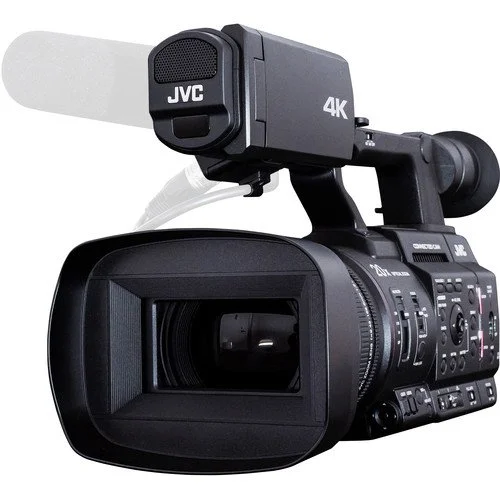
JVC GY-HC500USPCU Handheld Connected Cam 1" 4K Professional Camcorder
If you want to kick things off with something that feels truly professional, the JVC GY-HC500USPCU is a great place to start. This camera is built for real broadcast work. You get a sharp one-inch sensor, a strong 20x zoom lens, and built-in tools made with sports in mind, like scoreboard and broadcast overlays. It shoots clean 4K, streams while you record, and has that solid, dependable feel you only get from proper broadcast gear. We actually use this exact model in our DuneVision flypack — ours just doesn’t have the scoreboard software installed — and it has been rock-steady for us on real shows. If you want a camera you can grow with as your productions get bigger, this is a very safe pick.
COST (as of writing): $3,995.00
The “Middle Option”
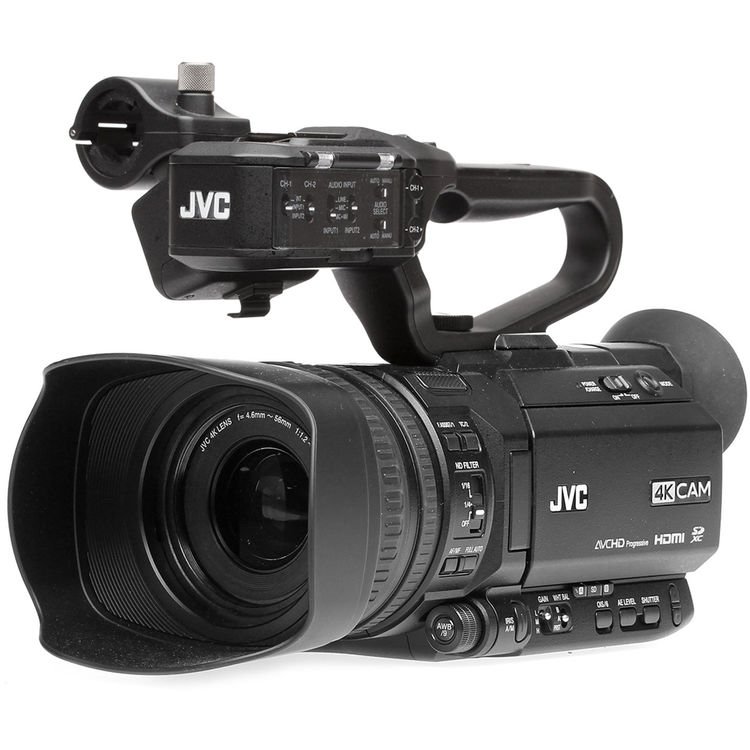
JVC GY-HM250 UHD 4K Streaming Camcorder with Built-in Lower-Thirds Graphics
If you want similar functionality without the price, I would recommend the “JVC GY-HM250 UHD 4K Streaming Camcorder with Built-in Lower-Thirds Graphics”. This is a really cool camera, one that I used as a young broadcaster in the early days. It packs a lot of punch for a small little camera. Pair it with a tripod and maybe even a couple of microphones for announcers, you can do a pretty darn good “one camera” stream from the camcorder. This camera has a live encoder inside of it accessible with a tablet connected to the same network as the camera. It even has a scoreboard graphic that you can control with the tablet to do a modest “scorebug” graphic, much like the last JVC camera.
I recommend the JVC series of cameras. We use one of the higher-tier models of this line (HC-500U) in our professional flypack. DuneVision highly recommends the JVC series of camcorders for livestreaming.
COST (as of writing): $1,695.00
The Budget Option
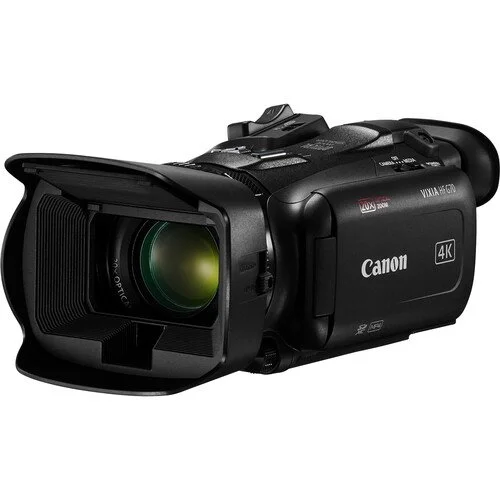
Canon Vixia HF G70 UHD 4K Camcorder
Unfortunately, camcorders as we knew them in the 2000s and 2010s have gone by the wayside for the most part, so this “budget option” doesn’t seem too budget for what was above. You no longer have an economy of scale for small consumer cameras so the camcorders on the lower end tend to still be quite beefy and over $1000. I wanted to recommend a Sony Handycam for this option, but I just found out those are no longer made and are unavailable new.
Ultimately, I went with this Canon Vixa. HF G70 for the “Budget” tier. This is another camera (or a variant) that was always kicking around at school and I’ve even seen them on broadcast trucks for utility feeds to the truck for “confidence” cameras so the truck can have a static shot of the scoreboards for informational purposes.
The part that might make this option not as good as the JVCs is the fact that there is no internal streaming. It does have a USB video output that a computer will see as a webcam, making this a good option if you have room for a laptop to stream from a piece of software like OBS, but at $1399, just get a JVC for a bit more. You’ll be much happier.
Conclusion
These are three real solid pieces of equipment that will get you on the air.
A word of caution about some other offers that are out there. A growing amount of robo cameras have been marketed towards lower end streaming. I would be careful about removing the human touch from camera operation. For example, I was gearing up to watch a local high school basketball game one day and the school was using one of these “AI” cameras to track the ball. The stream started at the scheduled time, but there was no game. Weather had cancelled it. The camera, however, kept streaming, following the bald head of the janitor (as it was a round shaped object on the basketball court) back and forth for a couple of hours. An amusing way to spend an evening, but I’m sure the janitor had no clue anyone was watching.
These options I’ve laid out really give you a good baseline that starts to look like a TV production.
If you have any questions or need any help, do not hesitate to reach out to DuneVision at info@dunevision.tv. While we are a broadcast production company, we pride ourselves in helping schools and communities when we can!
